A Small OM-1 Mark II Customisation That Makes a Big Difference
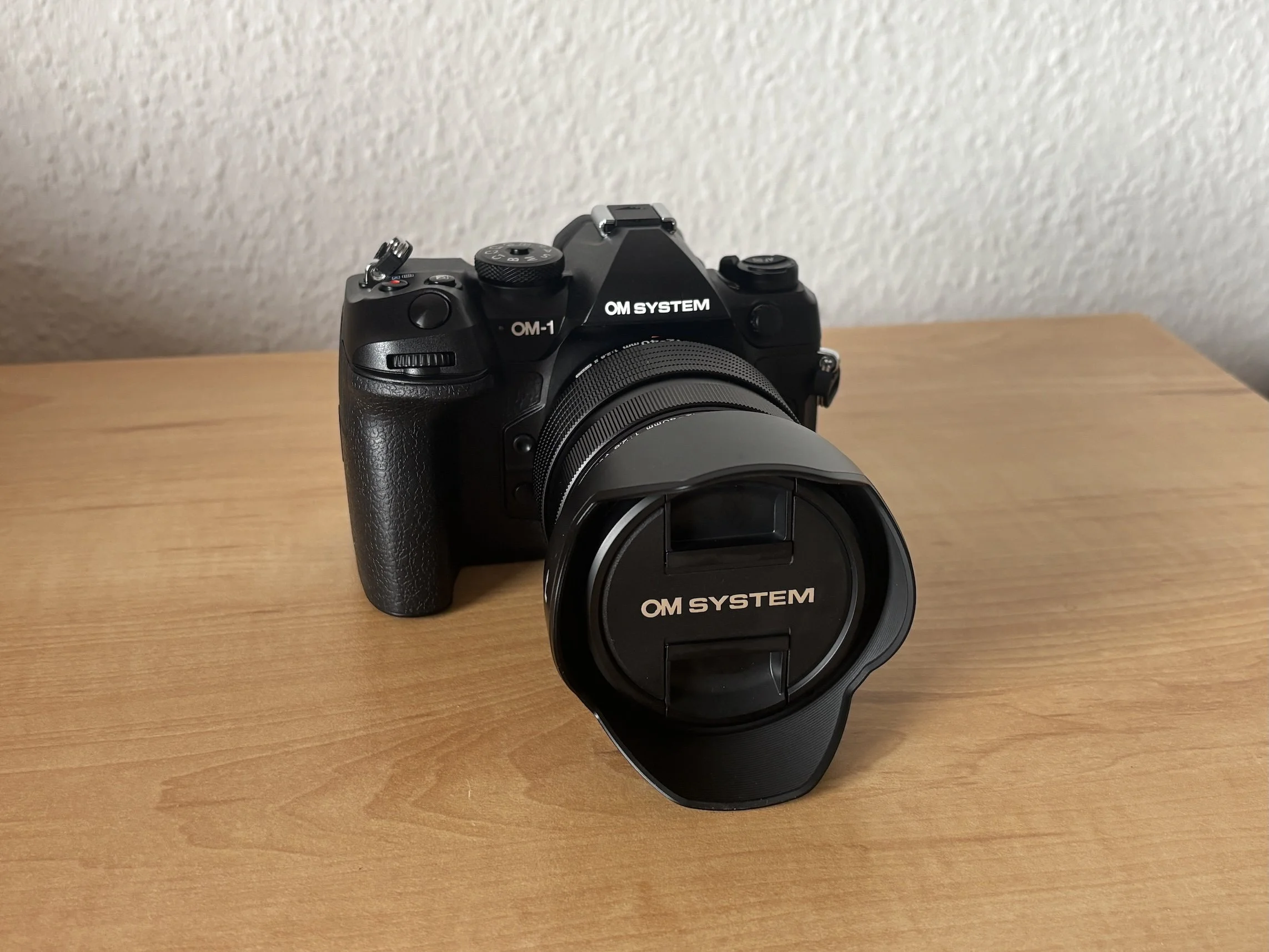
We all know the drill when we get a new camera. There is the excitement of unboxing it, the first impression when holding it in your hands, and then the initial setup and first photos as you get familiar with the camera and its controls. That is an amazing experience. I recently had the chance to go through it again after selling my Nikon Z7 II and switching to the OM System with the OM-1 Mark II.
My first impression was very positive. The camera feels solid, professional, and well built. At the same time, its design is understated and purposeful. Nothing feels unnecessary or out of place. However, two aspects immediately caught my attention because they made operating the camera slightly less comfortable than I expected.
The first is the on/off switch, which is located on the top-left side of the camera. This means I cannot turn the camera on or off with the same hand that is holding it.
The second is the Menu button, which is also located on the top-left side. Besides opening the menu, it also serves as a Back button for many operations.
For the first issue, I do not see a practical solution. It is simply a design choice that I will have to adapt to.
Fortunately, there is a solution for the second issue.
With the factory settings, accessing the menu requires using your second hand because the Menu button is out of reach while holding the camera. In practice, this can be a little frustrating.
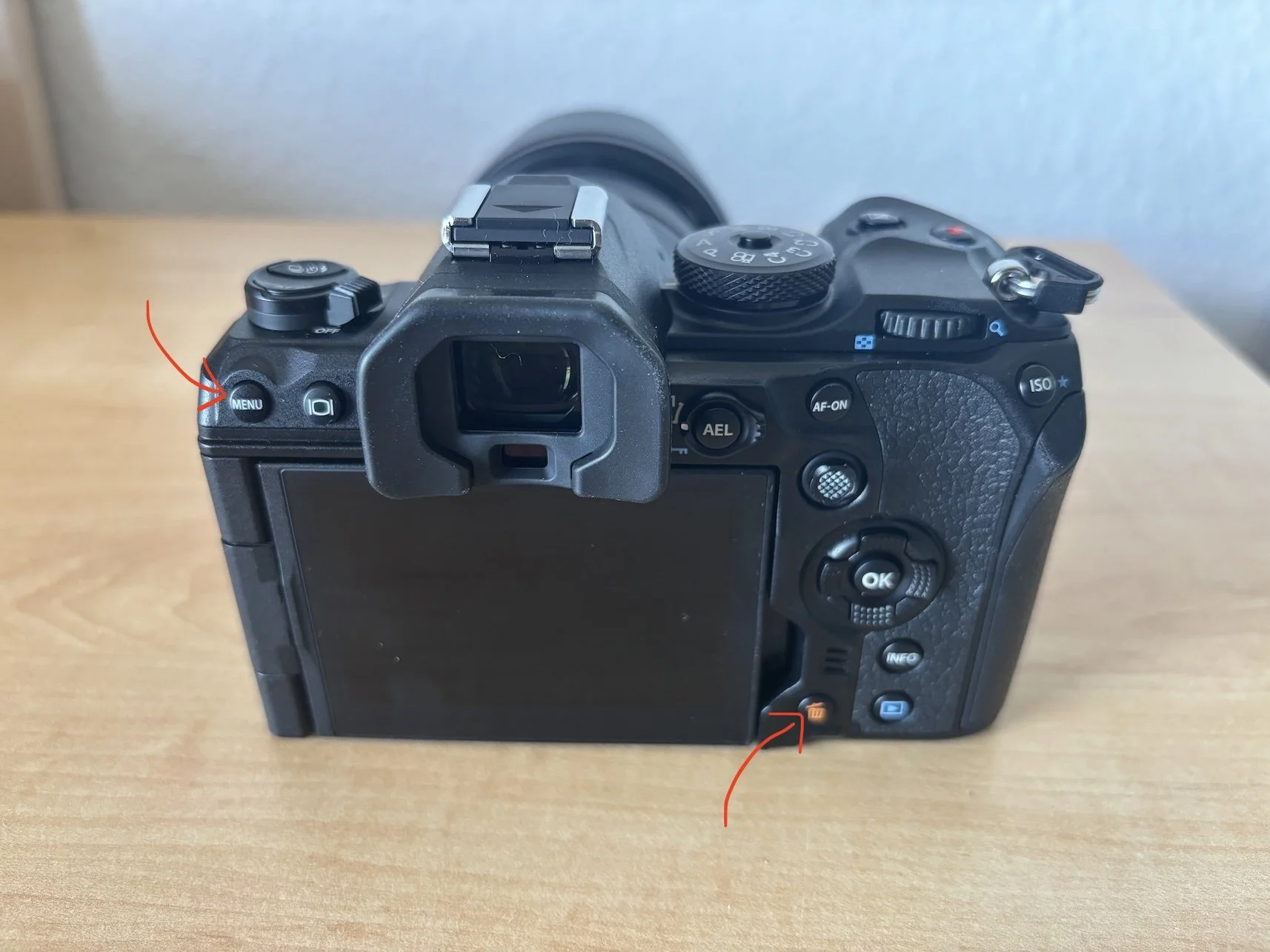
Fortunately, starting with firmware version 1.3, OM System introduced an option that solves this problem. You can reassign the Delete button to function as the Menu button whenever you are not reviewing images. This is a fantastic improvement.
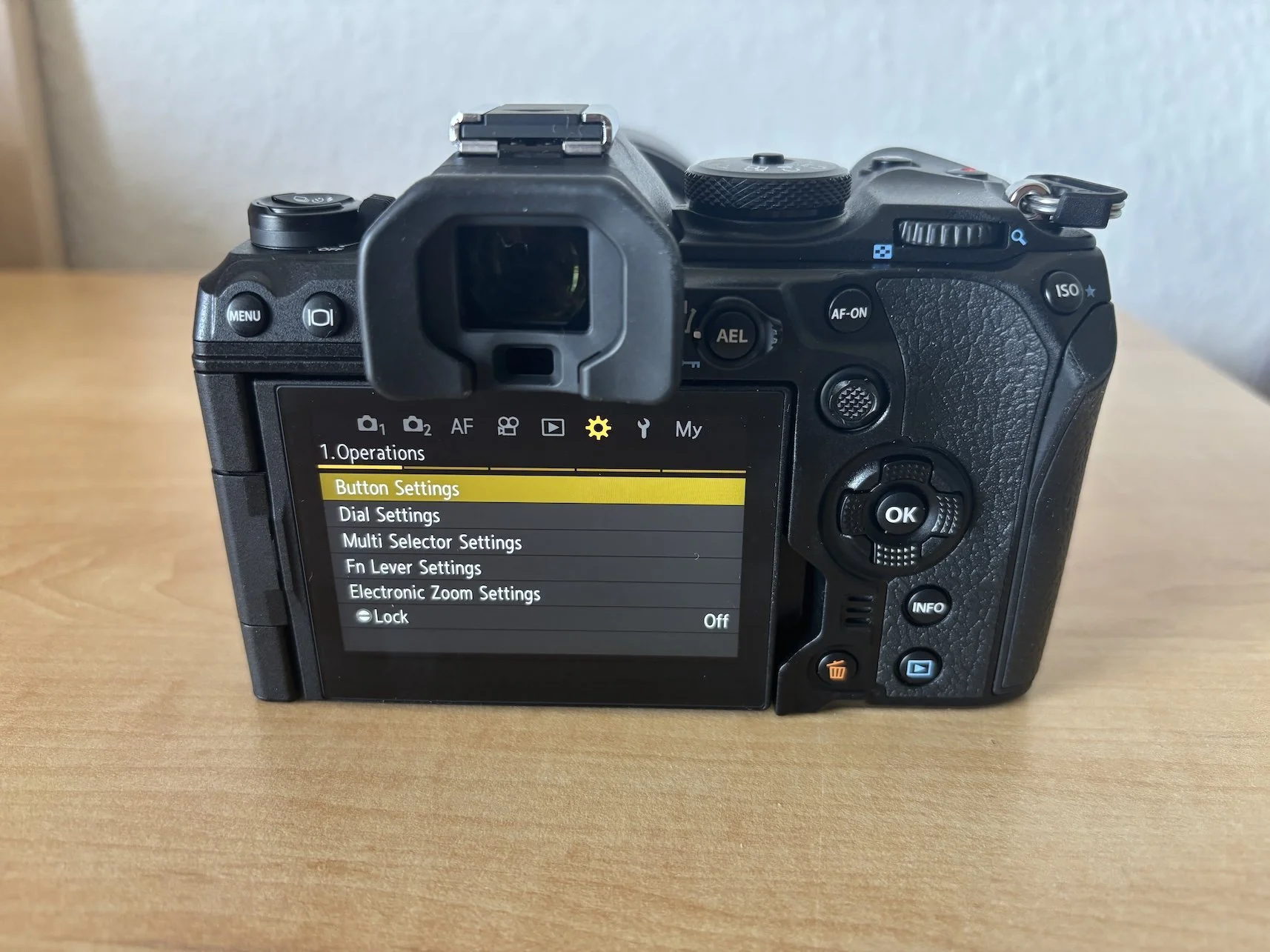
In order to do that, access the “Operations” and select the option "Button Settings” like in the image below:
Next, turn on the option “Menu operation by [trash can icon]” as shown below by changing its value to “Yes”:
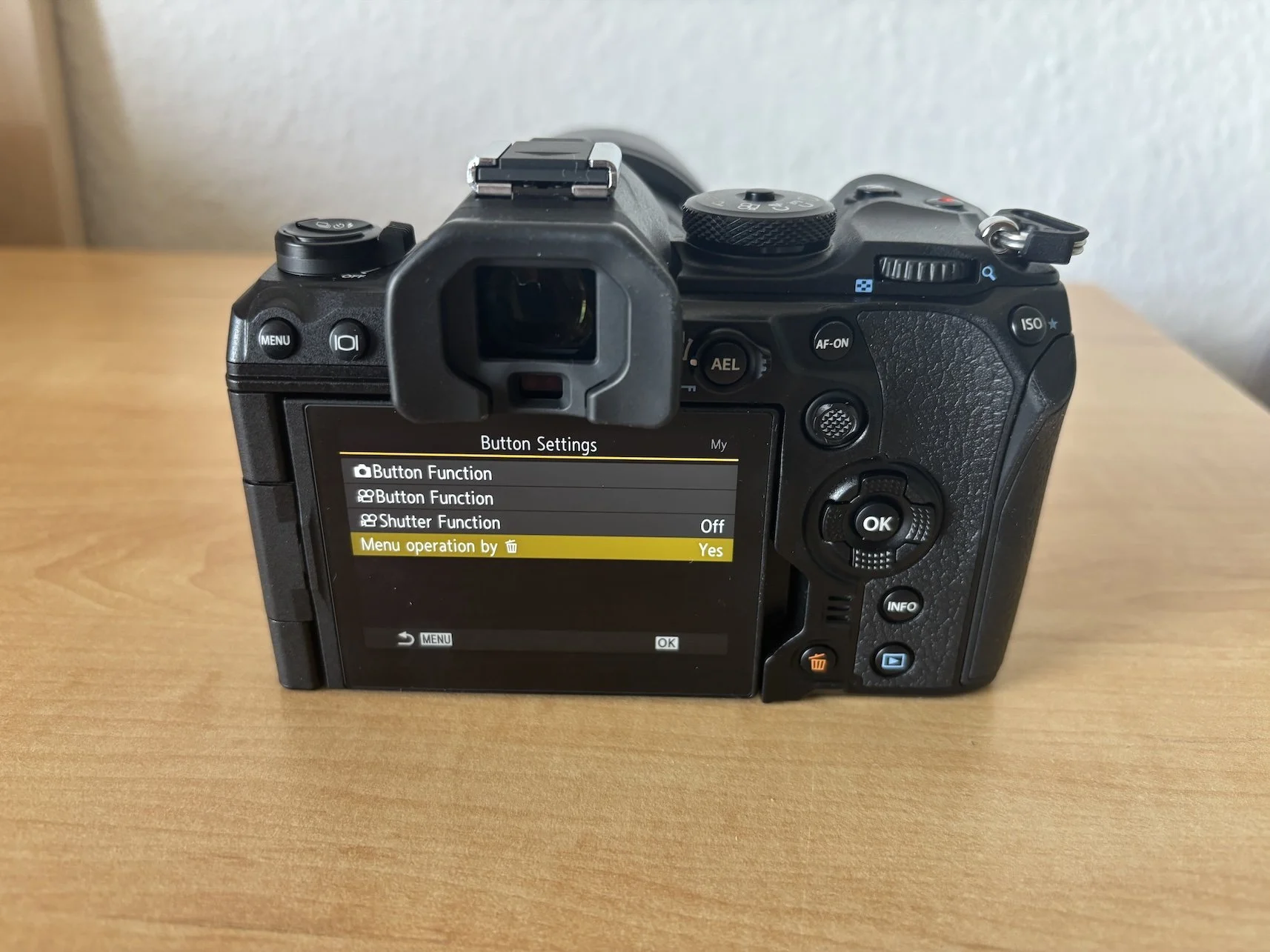
With this customisation enabled, accessing the menu and changing settings can be done with a single hand, just as I was used to doing with my Sony cameras. It may sound like a small change, but it has made a noticeable difference in everyday use.
If the location of the Menu button bothers you as well, this simple setting is the solution.
